


 Studio
 Atlas
Atlas Agents
 Toolkits
 MAP
MAP





 Profile







 Kiro
Kiro Sprig
Sprig Oomi
Oomi
 Show tabs
 Undo
Undo Redo
Redo Hide widgets
 Manage widgets
 Setup agents
 Help
Help
Understand connections.
Move from a card to its frame, rarity, artwork and related contexts.
Set the direction. See the whole game. Give specialized agents the structure to work within, then shape every important decision as a producer.
Designed around the producer
Storyboard shows the game. Atlas reveals its structure. Agents make model choices and costs visible. Toolkits express what the workflow can use.
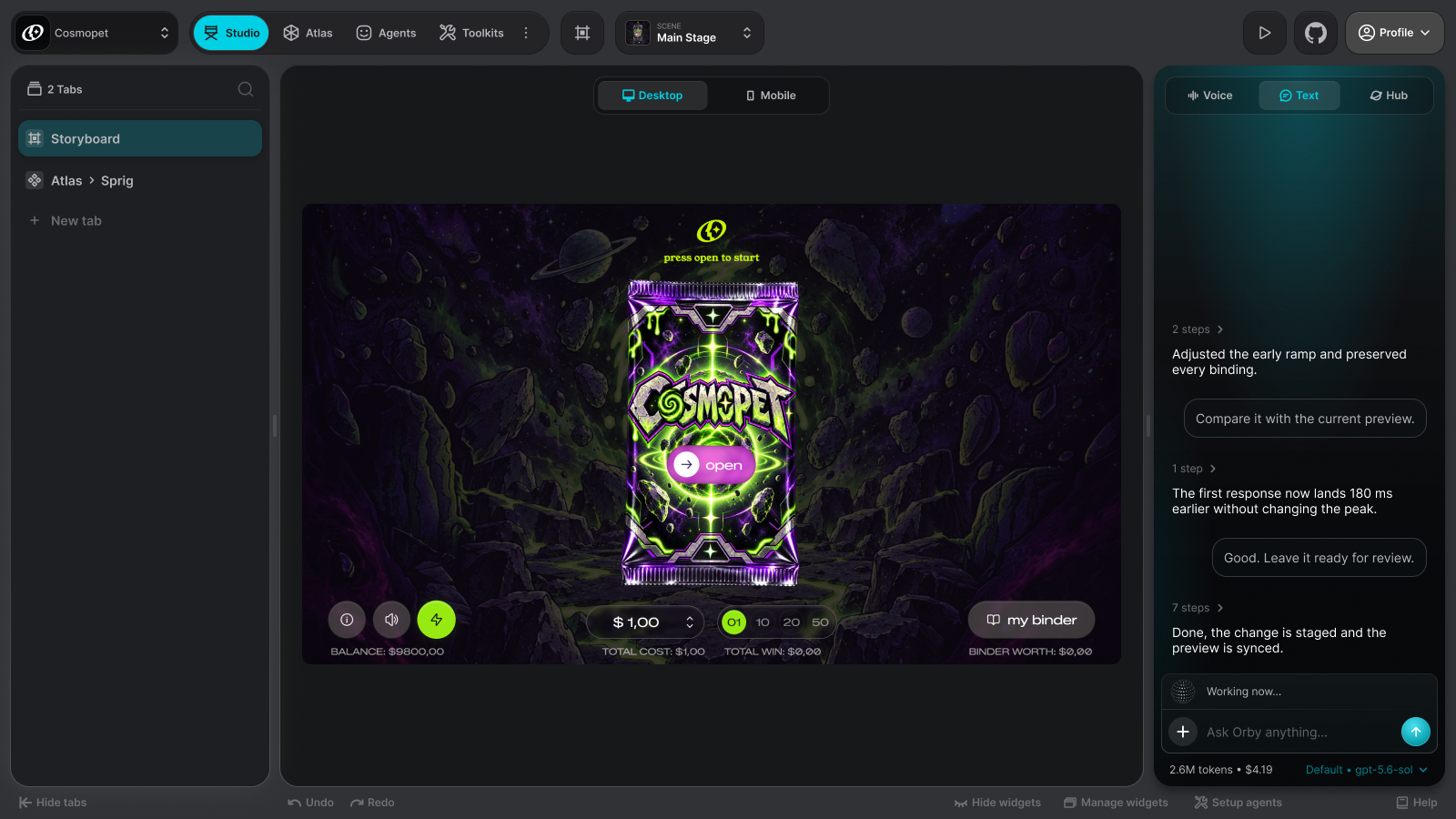
Storyboard
Storyboard is the visual view of production. The scene sequence, desktop view and mobile view sit in one place, so your team can judge how each moment reads before deciding what to change.
Atlas
A game is more than a folder of assets. Atlas connects its components to the meaning behind them. Move through the game’s structure into a character, then see the artwork and production context that give agents a clear direction.
See how the game fits together.
Move from a card to its frame, rarity, artwork and related contexts.

Bring the preview, art direction and related context together around a specific component.

Connect meaning, context and components to understand how a change carries through the game.
Agents
Choose which models suit the work, see the tasks they handle and understand what each one spends. Model usage runs through your own OpenRouter balance; Obby adds no token markup.
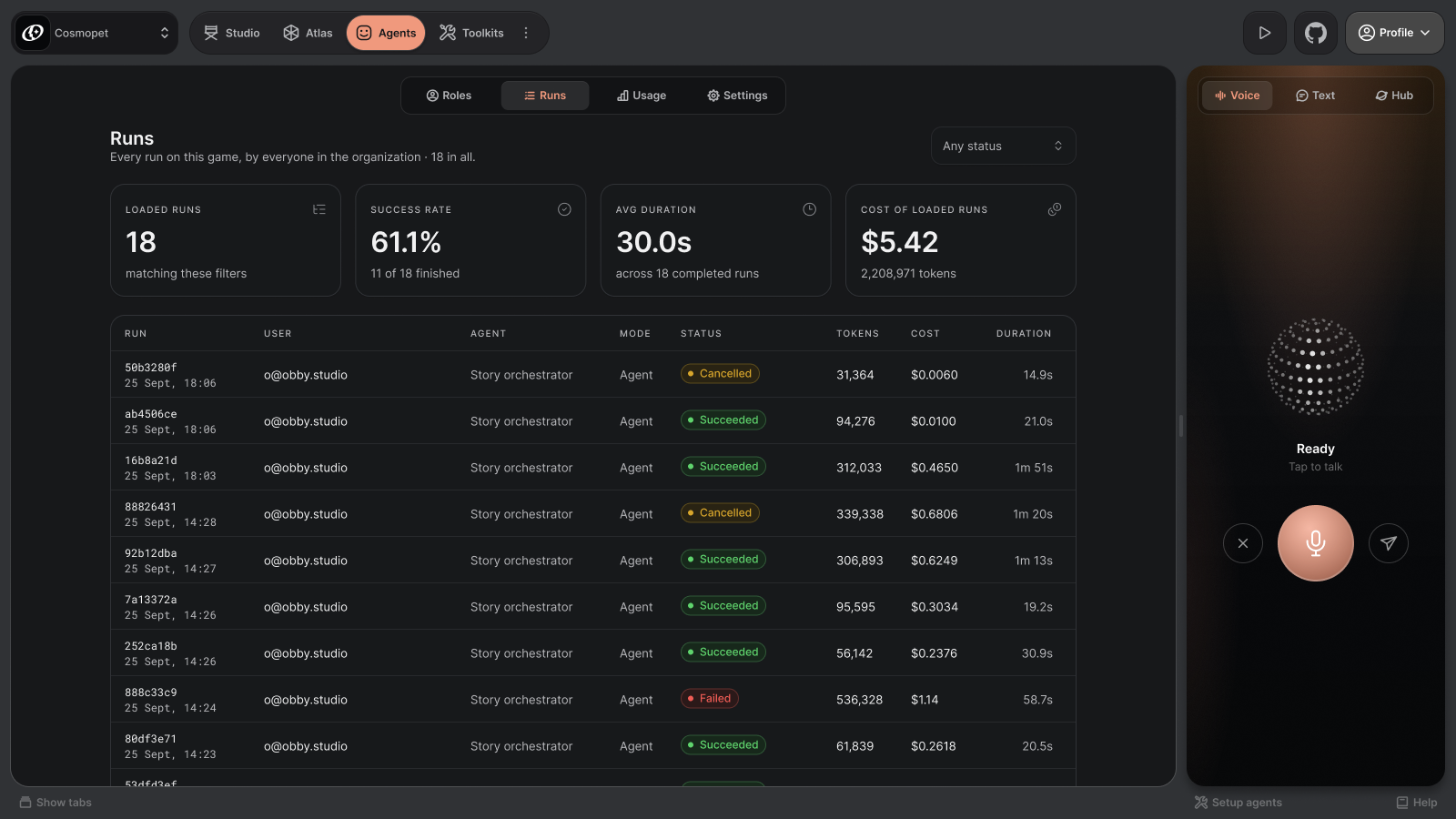
Run statistics and costs shown in the design are sample data.
Toolkits
Toolkits connect the workflow to your requirements. Choose tools, mechanics and technologies — or bring a requirement our team can develop into a custom extension.
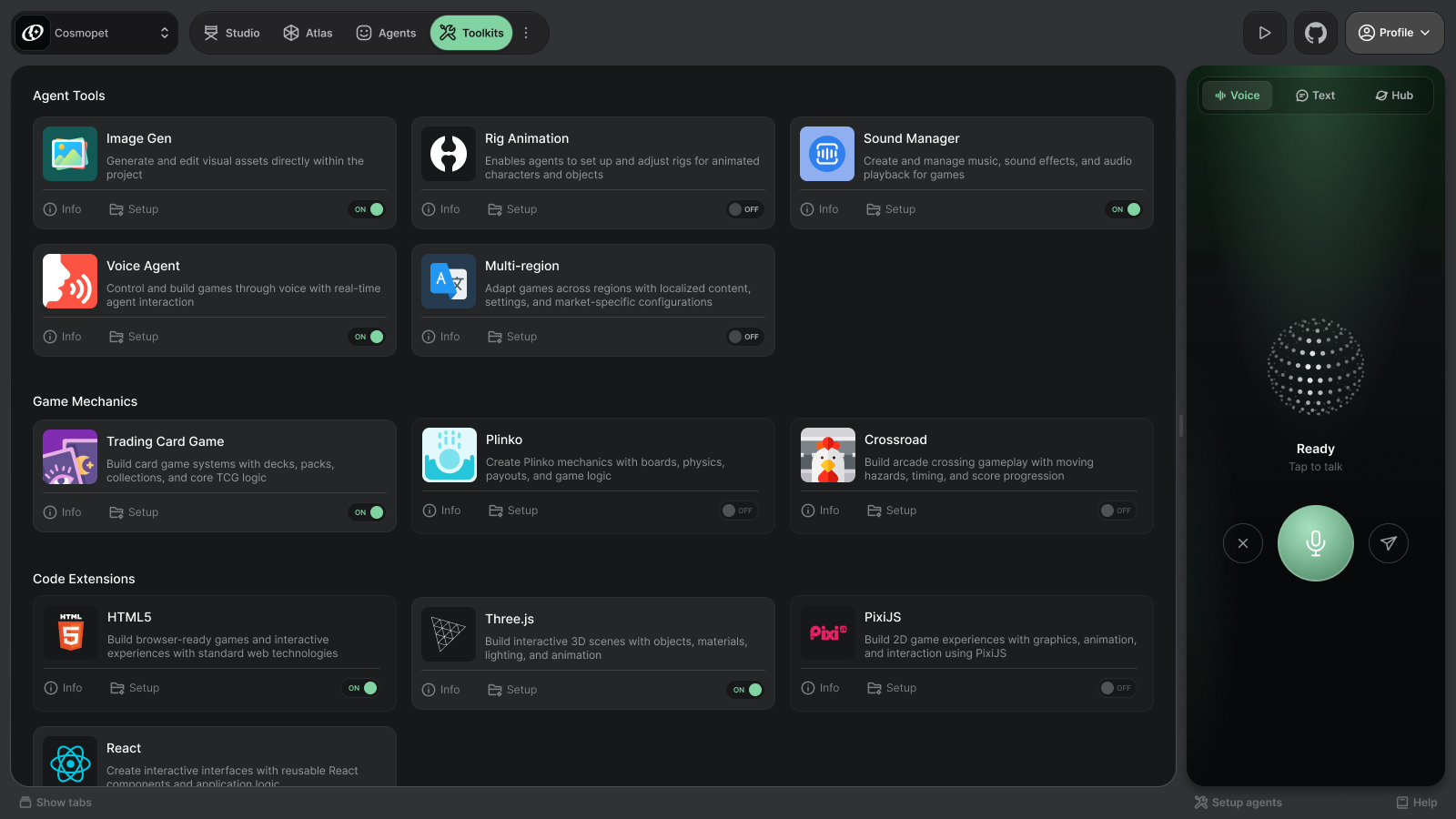

Tools for image, animation, sound, voice and languages when the work calls for them.

Mix TCG with new mechanics
as the library grows.

Different projects may call for a different framework, renderer or 3D approach.
Intelligence Duo in practice
Bring a game idea or a production challenge. We’ll explore how the Studio and a workflow can fit your team in a private conversation.
Let’s talk